
Convert a U.S. Bank statement to Excel & CSV
Convert U.S. Bank statements to Excel or CSV, privately in your browser. Everything runs in your browser with pdf.js, so your U.S. Bank statement is never uploaded to a server. Free for up to 5 statements a day, no signup, no watermark.
Open the converterWhat a U.S. Bank statement looks like
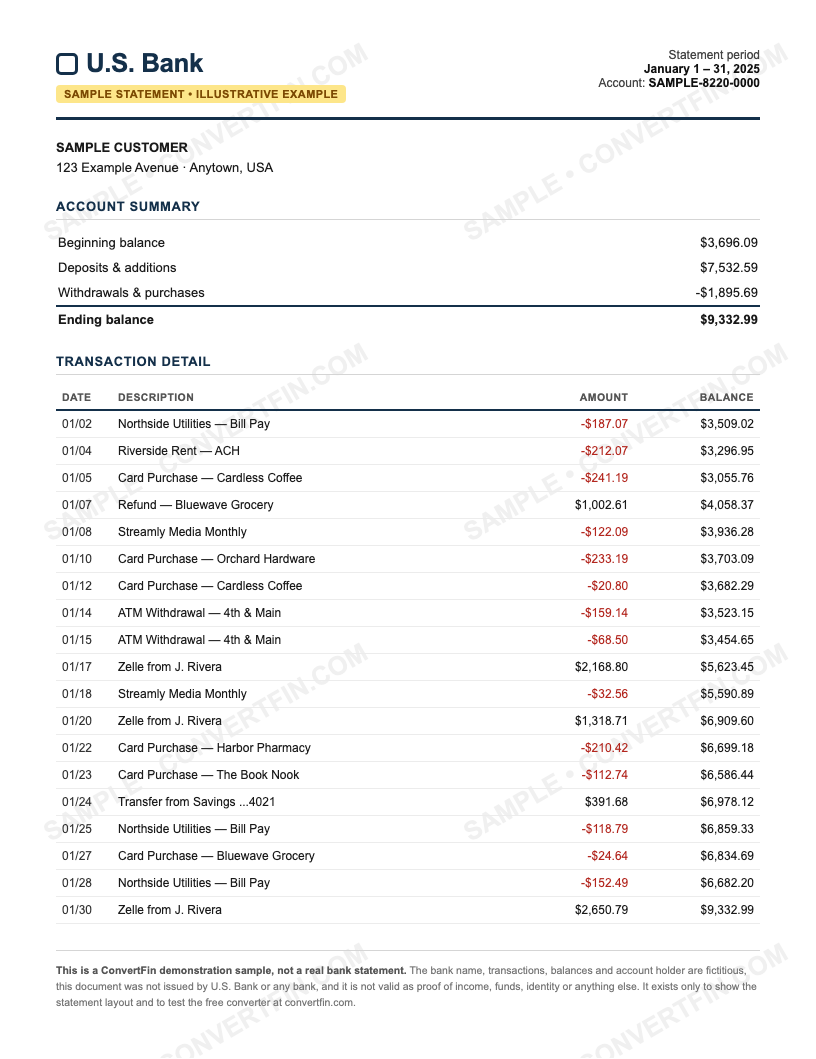
U.S. Bank statements present transactions with a date, description and amount, followed by a daily balance summary. Personal and business accounts follow the same pattern.
The layout matters because ConvertFin reads the selectable text inside your PDF and rebuilds each transaction as a spreadsheet row. Wherever U.S. Bank places the dates, descriptions, amounts and any running balance, the converter maps them into a small set of clean columns you can sort, filter and total.
See a sample U.S. Bank statement
Here is an illustrative U.S. Bank statement, watermarked and filled with fictitious data — it is not a real statement. Use it to see the layout, or download it to try the converter: the running balance reconciles, so it is a genuine trial run.
Columns you get in the export
Every U.S. Bank statement is exported to the same tidy structure, in both Excel and CSV:
| Column | What it holds |
|---|---|
| Date | The transaction date from your U.S. Bank statement |
| Description | The merchant or payee text, kept on a single row |
| Amount | The debit or credit as a single signed value |
| Balance | The running balance where U.S. Bank prints one, left blank for card statements that carry no balance |
You get the same columns whether you convert the bank statement to Excel or convert it to CSV, so the file is ready to open in Excel, Google Sheets, or import straight into accounting tools.
Tip. The daily balance summary is separate from the transaction list. The converter focuses on the transaction rows, which is what you import into accounting tools.
How to convert your U.S. Bank statement
- Open the converter and drop in your U.S. Bank PDF. The file is read locally in your browser, nothing is sent anywhere.
- ConvertFin reads the text layer with pdf.js and structures every row into Date, Description, Amount and Balance on your device.
- Preview the table, then download it as Excel (.xlsx) or CSV. Nothing is stored after you close the tab.
Prefer the full walk-through? Read how to convert a bank statement to Excel.
Is it safe to convert a U.S. Bank statement online?
With ConvertFin there is no online step for your data. Your U.S. Bank statement is processed entirely in your browser, so the PDF is never sent to a server, never stored, and never seen by us. That is the whole point of the client-side design: a bank statement carries your account number and full transaction history, so the safest converter is one that never receives the file in the first place. There is more detail on the security page.
Runs in your browser with pdf.js, nothing is uploaded or stored, no signup, and clean Date / Description / Amount / Balance columns out to Excel and CSV.
U.S. Bank conversion FAQ
Do I need to upload my U.S. Bank statement anywhere?
No. The conversion runs locally in your browser with pdf.js, so your U.S. Bank PDF never leaves your device and is not stored on any server.
What formats can I export a U.S. Bank statement to?
Both Excel (.xlsx) and CSV. The columns — Date, Description, Amount and Balance — are identical in either format, so you can open the file in Excel or Google Sheets or import it into your accounting software.
Is there anything specific to watch for with a U.S. Bank statement?
The daily balance summary is separate from the transaction list. The converter focuses on the transaction rows, which is what you import into accounting tools.
Does it work with a scanned U.S. Bank statement?
Only if the PDF has selectable text. Scanned or photographed image-only statements have no text layer to read, so those are not supported. Download the original PDF from U.S. Bank online banking instead of scanning a paper copy.